Edit PDFs. Buy once. Use forever.
The complete PDF editor for Windows – text editing, signatures, OCR and Office export. No subscription, no cloud.
One-time price incl. VAT · no subscription · Windows 10 & 11 · download after free sign-up
 PDFnord
—
Quote_2026.pdf
─☐✕
PDFnord
—
Quote_2026.pdf
─☐✕
Dear Ms Berger,
thank you for your enquiry. We are pleased to offer 10 workstations25 workstations incl. setup at a fixed price.
The contractor provides the services according to annex 2. The term is 24 months and does not renew automatically.
Payments are due within 14 days of invoicing.
Ms Sabine Berger, born on 12.03.1984, resident in Bremen, was employed from 1 Feb to 30 Jun.
IBAN DE12 2905 0101 0012 3456 78 · Payment confirmed.
✓ 3 passages redacted – permanently removedThis is how PDFnord feels
One tool. Every PDF task.
PDFnord
—
Quote_2026.pdf
─☐✕
Dear Ms Berger,
thank you for your enquiry. We are pleased to offer 10 workstations25 workstations incl. setup at a fixed price.
The contractor provides the services according to annex 2. The term is 24 months and does not renew automatically.
Payments are due within 14 days of invoicing.
Ms Sabine Berger, born on 12.03.1984, resident in Bremen, was employed from 1 Feb to 30 Jun.
IBAN DE12 2905 0101 0012 3456 78 · Payment confirmed.
✓ 3 passages redacted – permanently removedEdit text: Click into a paragraph and simply keep typing. Font, size and colour are preserved.
Edit PDFHighlight & annotate: Highlight, underline, strike through and add notes – in your colour.
Sign: Draw and place your signature – or sign digitally with a certificate.
Sign PDFText recognition (OCR): Scanned pages become searchable, copyable text. Locally, no upload.
OCR PDFMerge: Combine several PDFs into one file by drag & drop – or split them.
Merge PDFCompress: Shrink large files for e-mail and upload portals. The original stays untouched.
Compress PDFExport to Office: Convert PDFs to Word, Excel or PowerPoint and keep working there.
PDF to WordRedact (Pro): Permanently remove names, dates of birth or account numbers – not just cover them. Ideal before sharing.
Redact PDFFeature set
Everything included. Already in Standard.
No feature puzzle, no add-ons: PDFnord Standard contains the tools you need every day.
-
View & search
Fast rendering, tabs, full-text search, bookmarks.
-
Edit text
Change, delete and move text right in the document.
-
Images & graphics
Select and edit pictures, logos and shapes.
-
Highlight
Highlight, underline, strike through.
-
Notes & comments
Attach notes and reply to comments.
-
Draw
Freehand, shapes, arrows and stamps.
-
Forms
Fill in forms including calculations.
-
Signature
Handwritten or digital with a certificate.
-
OCR
Make scans searchable and copyable.
-
Office export
Word, Excel, PowerPoint, text and HTML.
-
Create PDFs
New PDFs from images and text.
-
Merge
Combine several files into one.
-
Split
Separate by pages or ranges.
-
Organise pages
Insert, delete, rotate, reorder.
-
Compress
Reduce file size significantly.
-
Password protection
AES-256 encryption and permissions.
-
Print
Own print dialog with live preview.
-
Light & dark
Eye-friendly dark theme included.
-
German & English
User interface in both languages.
-
Local & offline
Your documents never leave your PC.
Everything in Standard, plus:
-
Redact confidential content (permanently removed)
-
Create web forms (add form fields)
-
Convert scans into editable PDF files
-
Marketing tools: generate flyers, social content and presentations from documents
Fair and transparent
Buy once, use forever.
Software should belong to you. That is why PDFnord is a one-time purchase: you pay once, receive your licence key immediately and use PDFnord without a term or automatic renewal.
- No subscription, no notice periods
- Updates for version 2026 included
- Switch devices yourself in your account
- VAT invoice for businesses
What you pay over 3 years
Example calculation with an assumed subscription price of €15 per month.
Privacy built in
Your documents stay with you.
PDFnord is a real Windows application. Editing, OCR, signing and export run entirely on your computer – no upload, no account required for use, no tracking.
- No cloud processing
- No analysis of your content
- Developed in Germany
In use
A look inside PDFnord
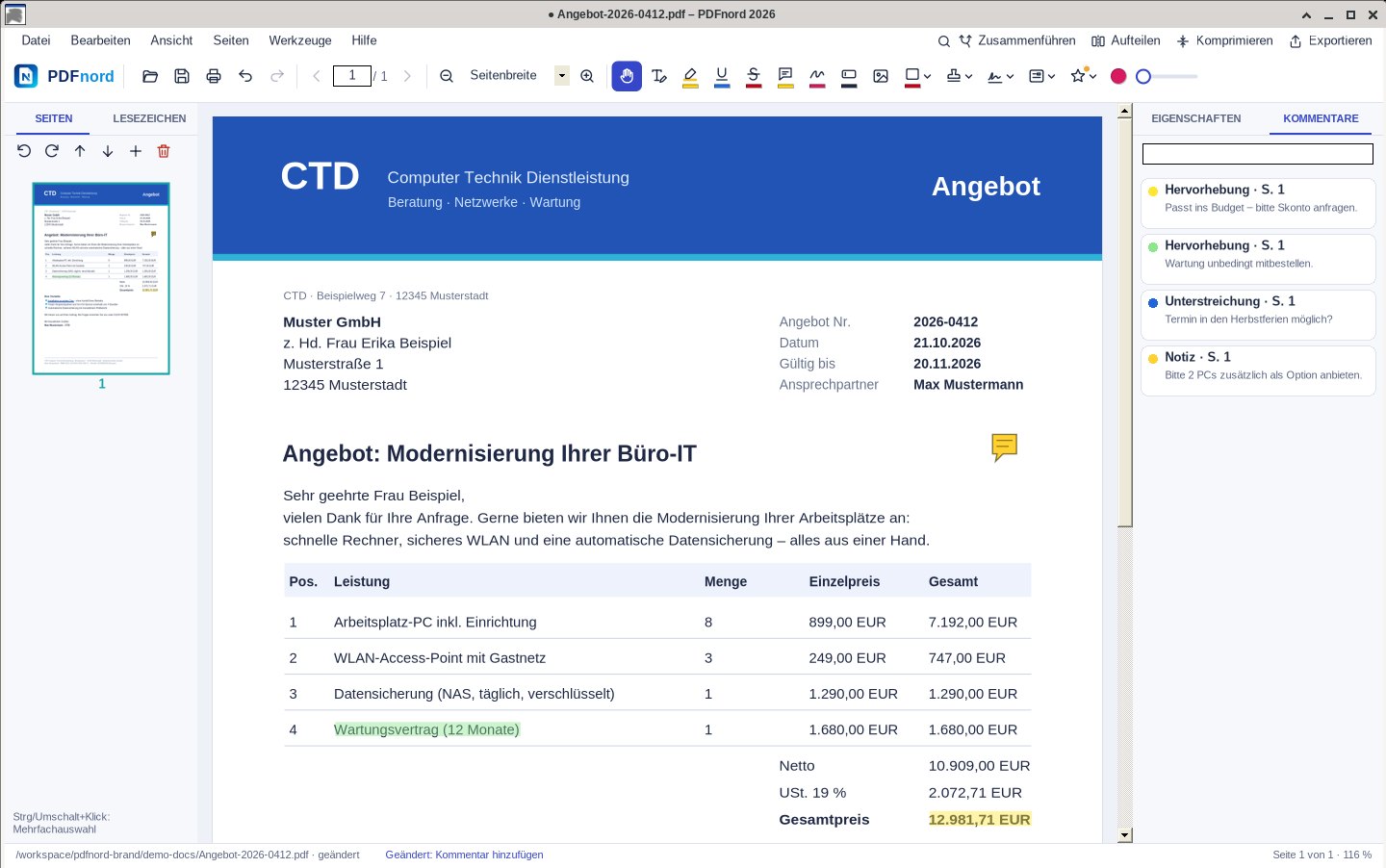
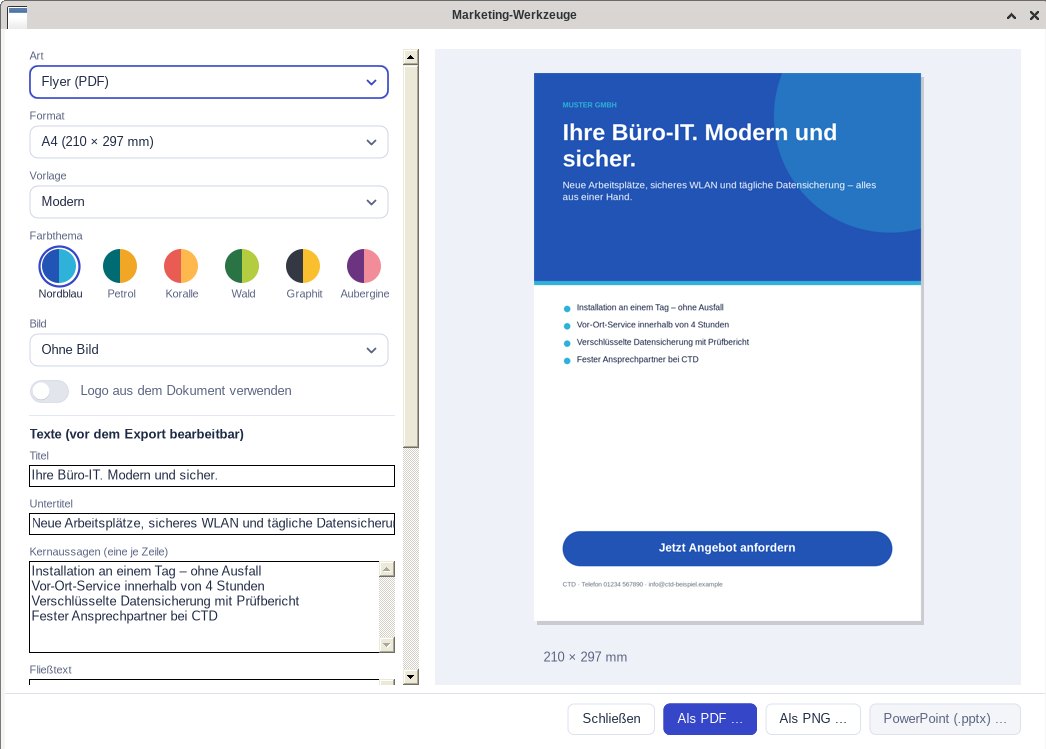
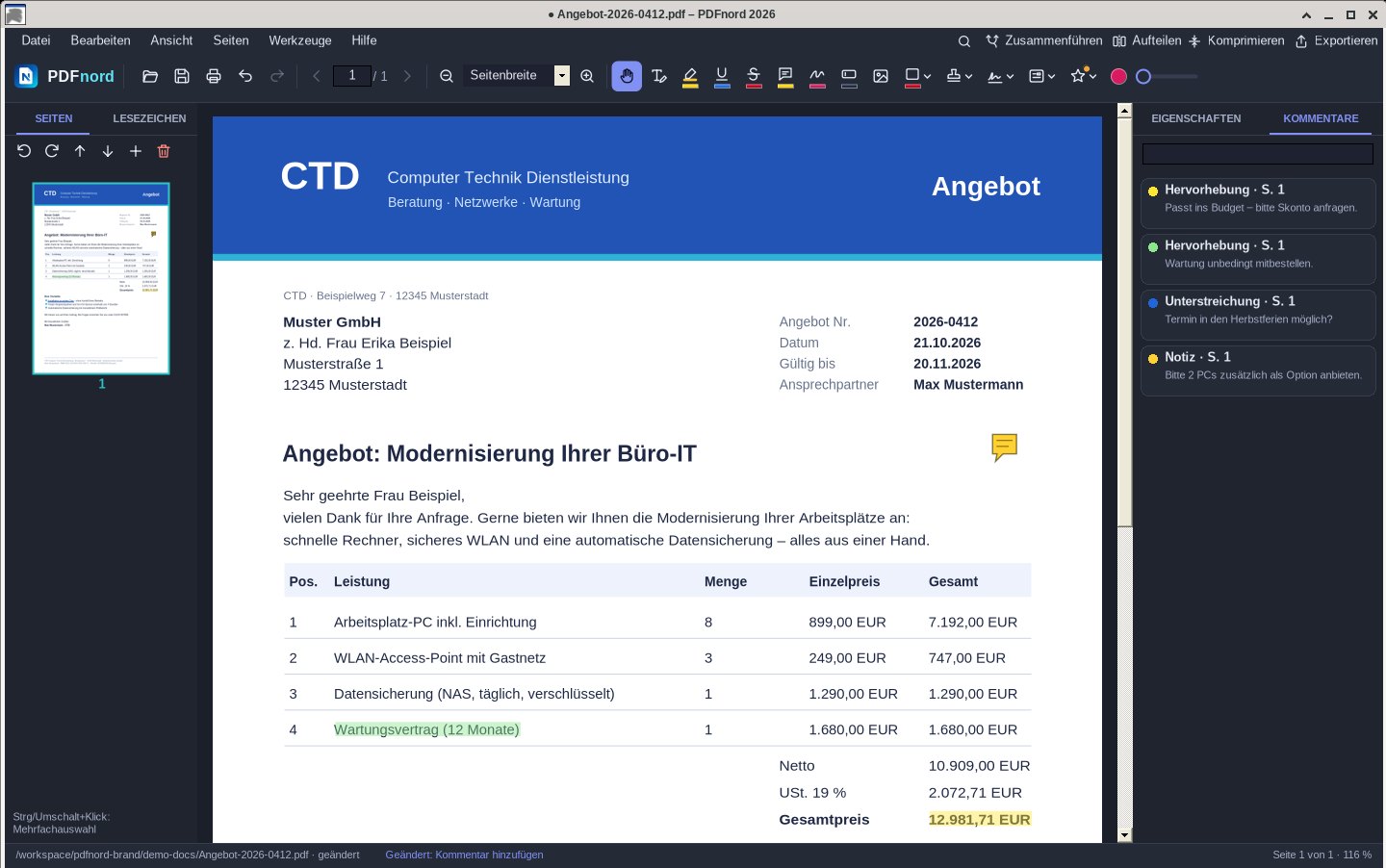
This is what working with PDFnord 2026 looks like – quotes, invoices, contracts and forms from everyday office work.
-
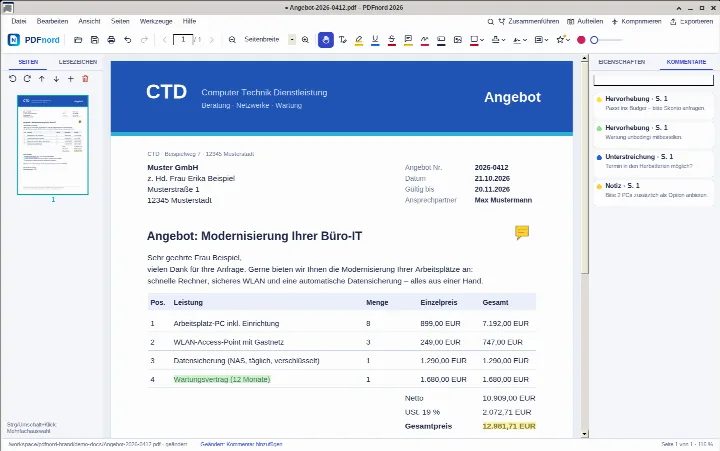
Reviewing a quote: highlights and comments -
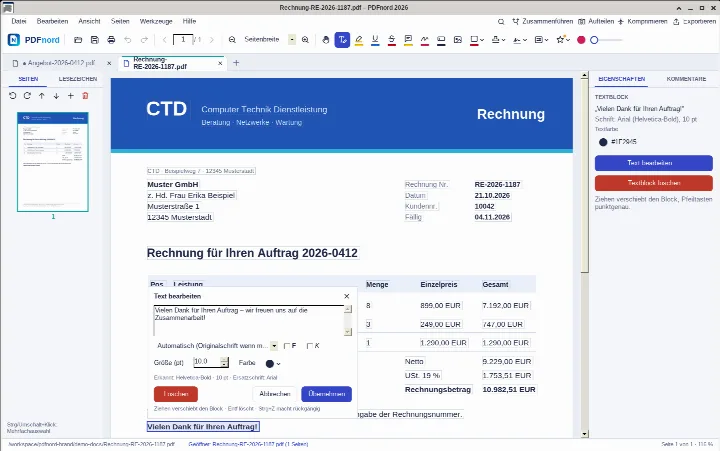
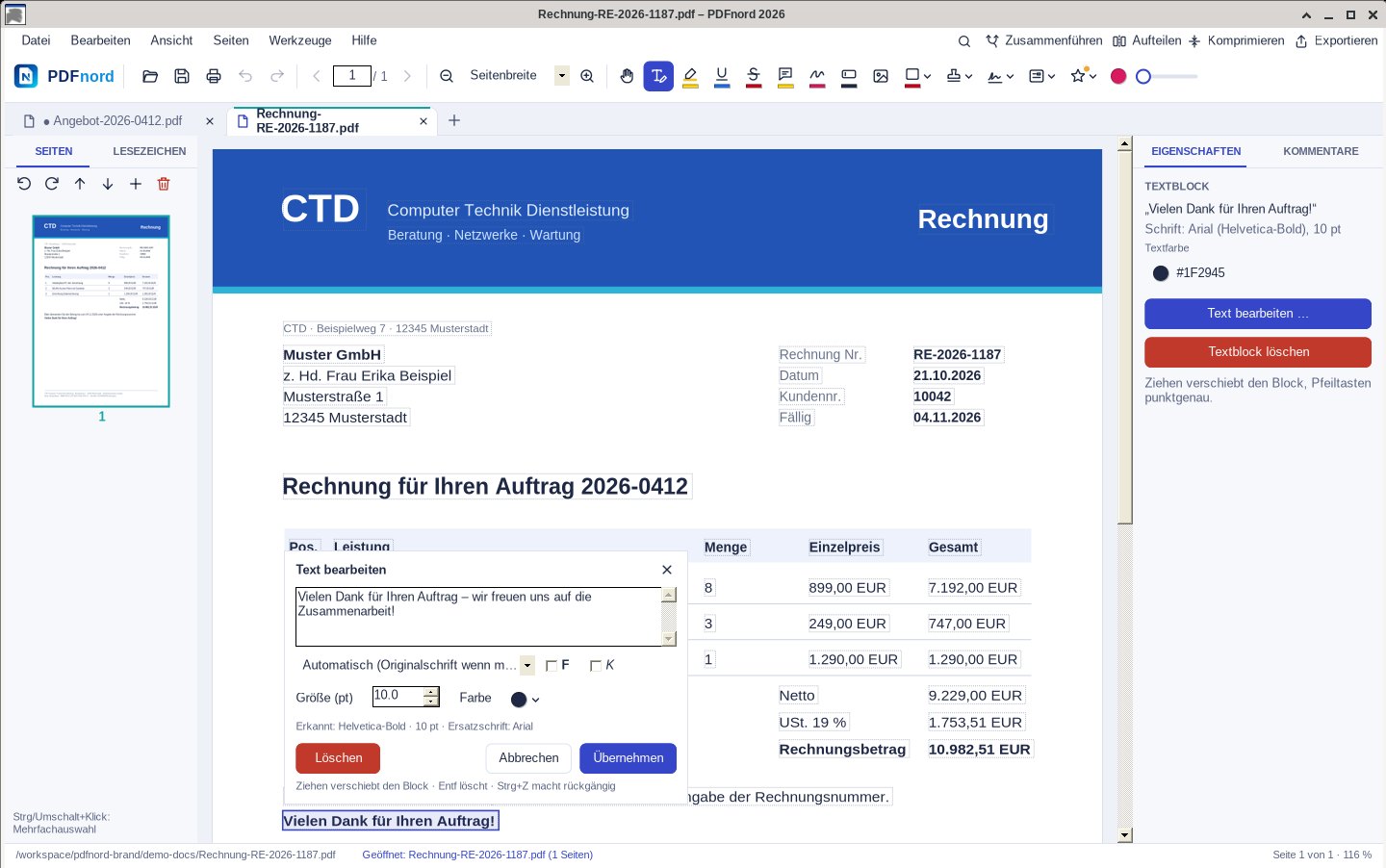
Editing text directly in an invoice -
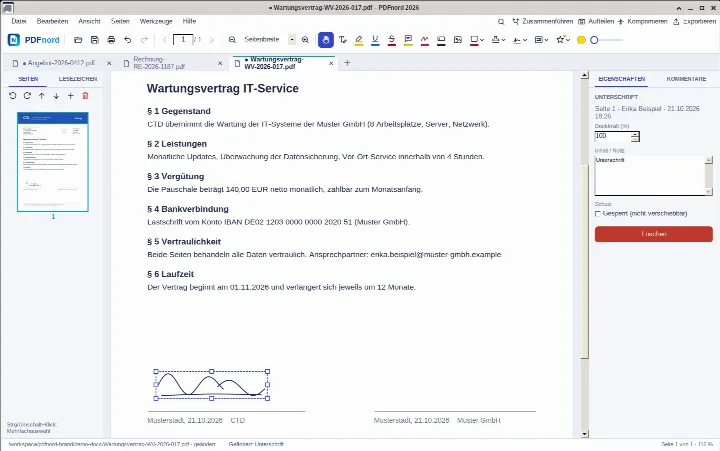
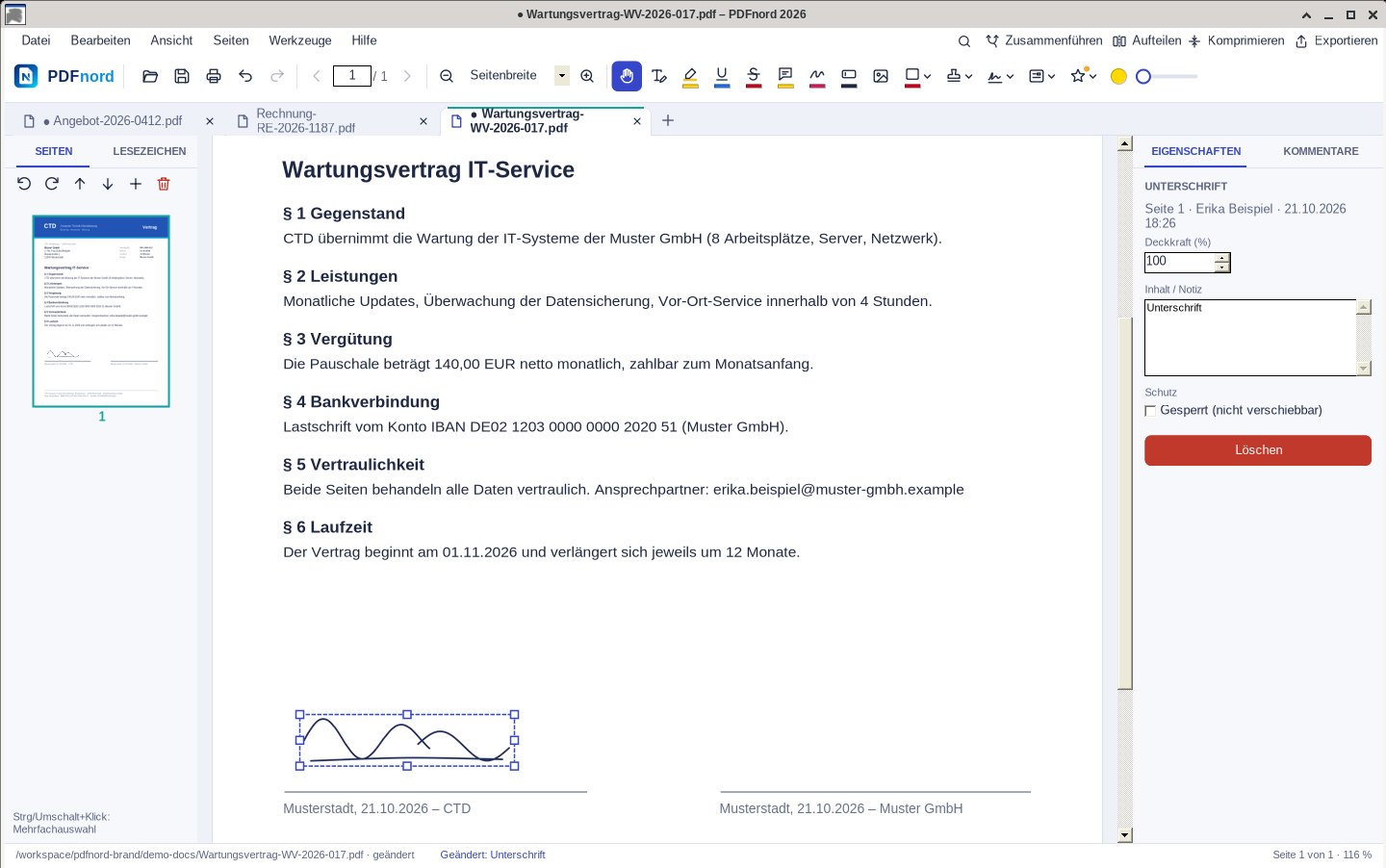
Signing a maintenance contract -
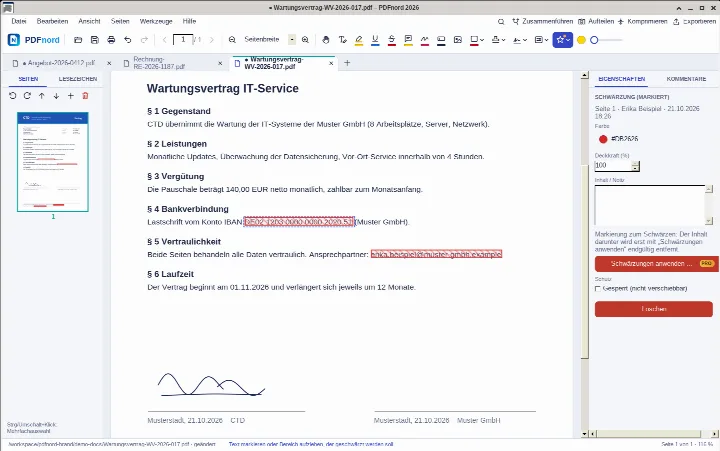
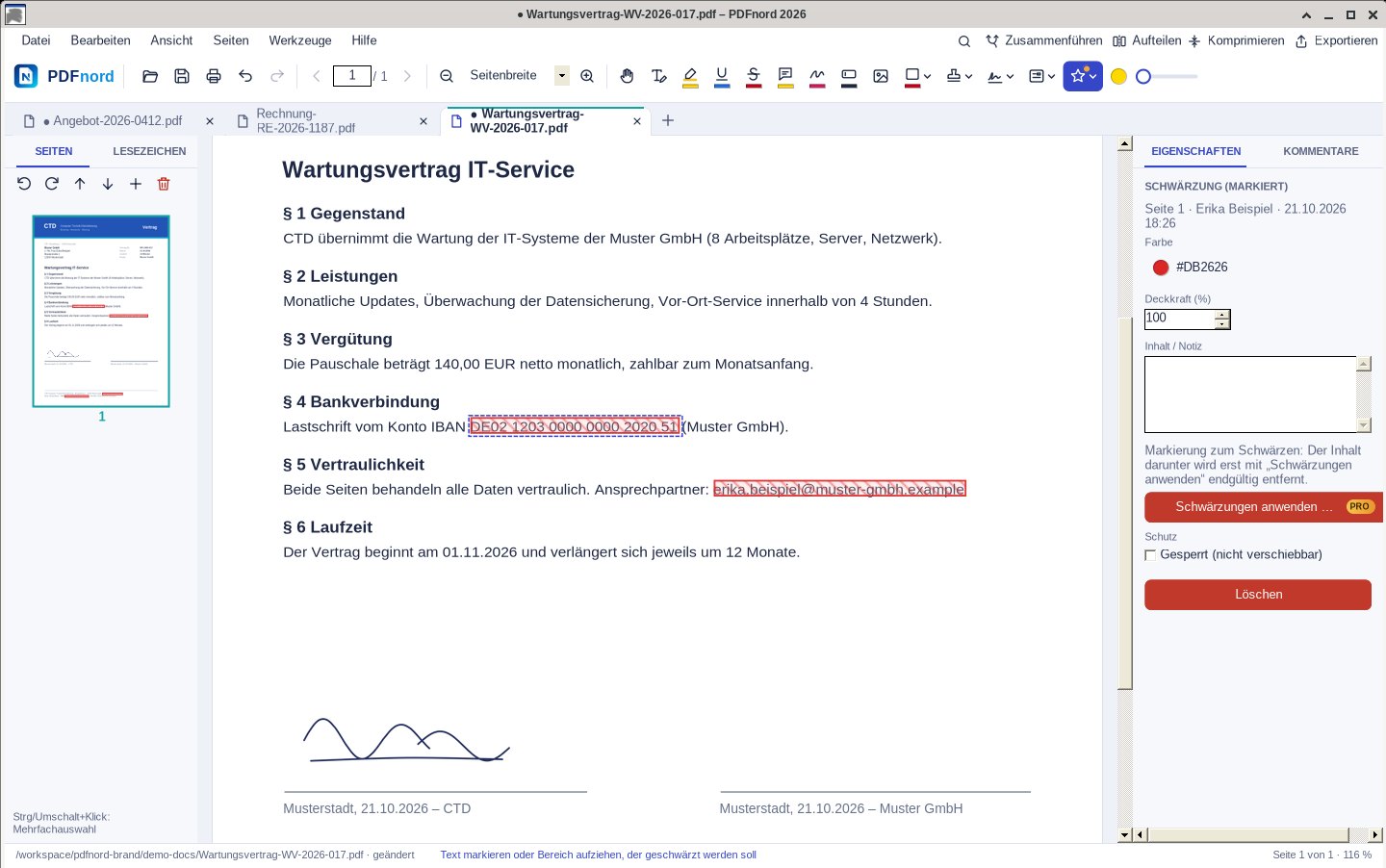
Redacting an IBAN and an email address (Pro) -
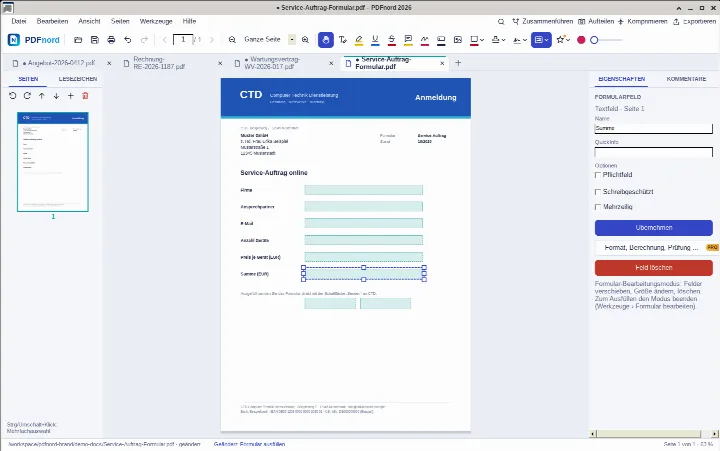
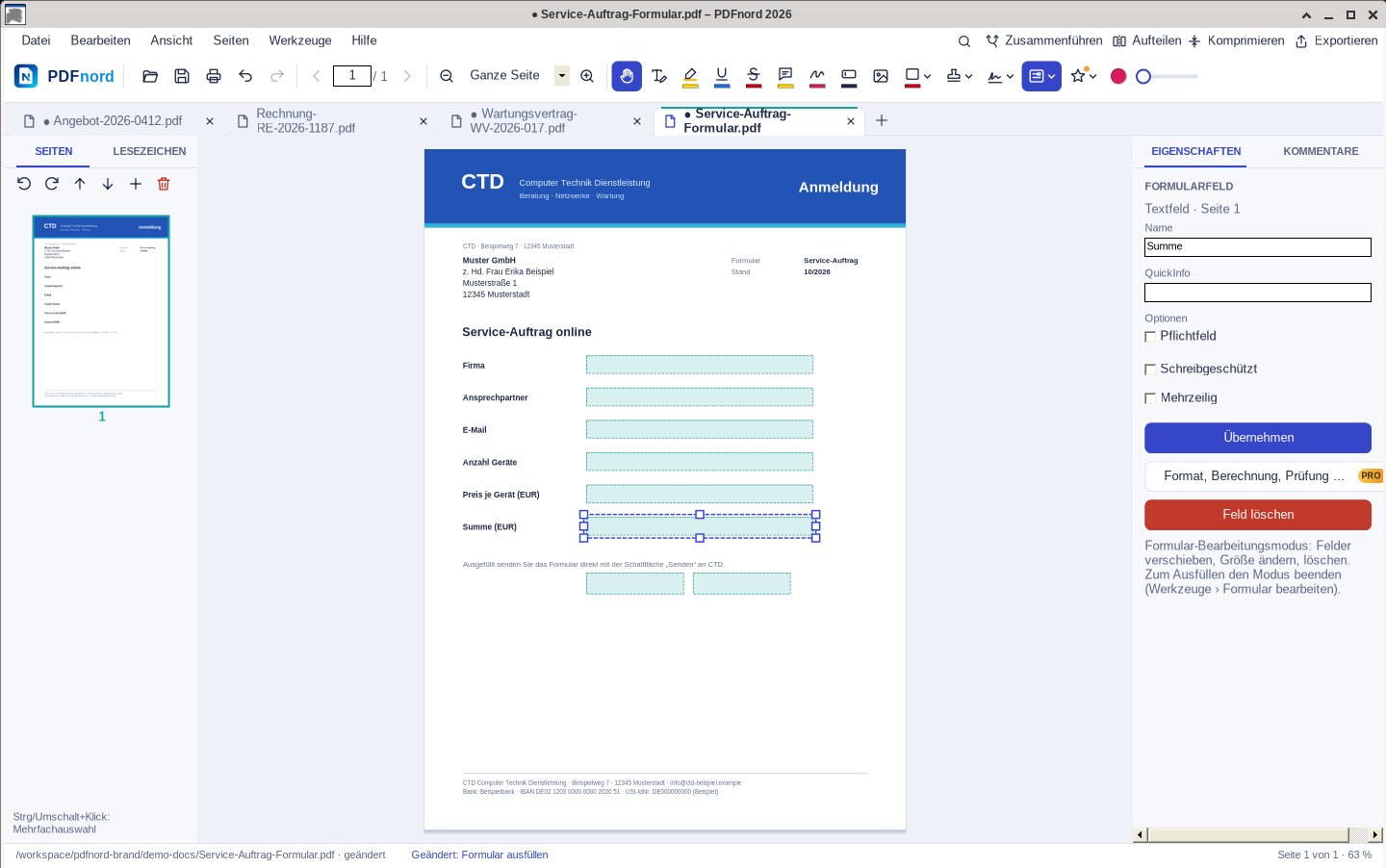
Designing a form: adding and arranging fields -
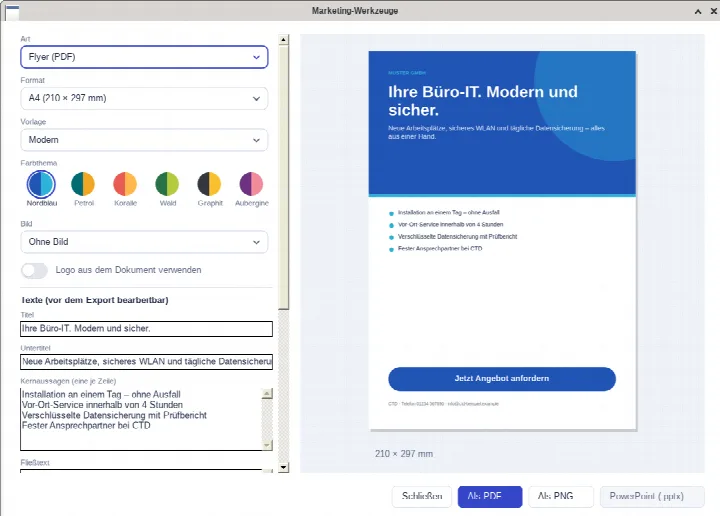
Designing a flyer with the marketing tools (Pro) -
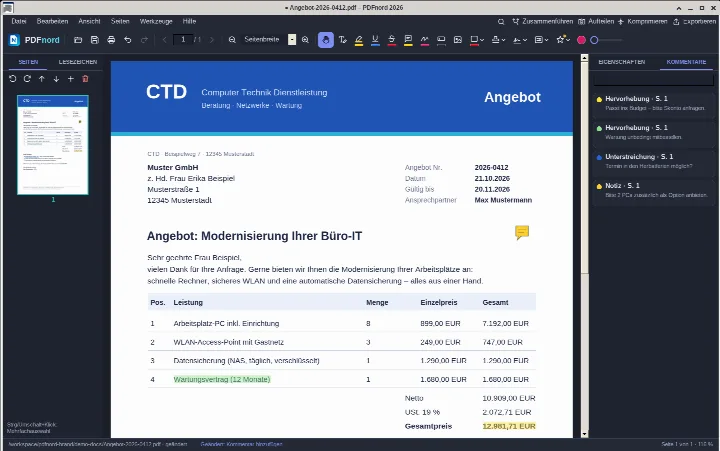
Dark mode for long working days
What customers say
Placeholder – real customer quotes coming soon
“[Placeholder] Finally a PDF program without a subscription that does everything I need at the office.”
“[Placeholder] Text recognition made our scan archive searchable.”
“[Placeholder] Quick to install, clear and easy to use.”
Pricing
Two editions. One one-time price.
No subscription, no term – updates for version 2026 included.
PDFnord Standard 2026
The complete PDF editor for Windows – buy once, use forever.
- Open, read, search and print PDFs (with preview)
- Merge and split PDFs
- Edit text directly in the PDF
- Edit images, graphics and shapes
- Annotate: highlight, underline, notes, drawing, stamps
- Fill forms incl. calculations
PDFnord Pro 2026
Everything in Standard plus pro tools: redaction, web forms, editable scans and marketing tools.
Everything in Standard, plus:
- Redact confidential content (permanently removed)
- Create web forms (add form fields)
- Convert scans into editable PDF files
- Marketing tools: generate flyers, social content and presentations from documents
Already on PDFnord Standard? Upgrade to Pro in your account – just €50.00 difference, same licence key. Upgrade
Frequently asked questions
Is PDFnord a subscription?
How much does PDFnord cost?
Can I try PDFnord before buying?
On how many devices can I use a licence?
What are the system requirements?
Does PDFnord work offline?
Ready for PDFs without a subscription?
Buy PDFnord once and start right away – or sign up for free and download the app first.
One-time price incl. VAT · no subscription · Windows 10 & 11 · download after free sign-up